With this project option, you have the possibility to flexibly create your delivery traffic flexibly. Here you can summarize different delivery trips. The project option, “Administer combined trips” assumes that one or more collective trips have nevertheless been created in the program settings, and that a trip as well as the corresponding appointments is determined for the project in the project detail view.
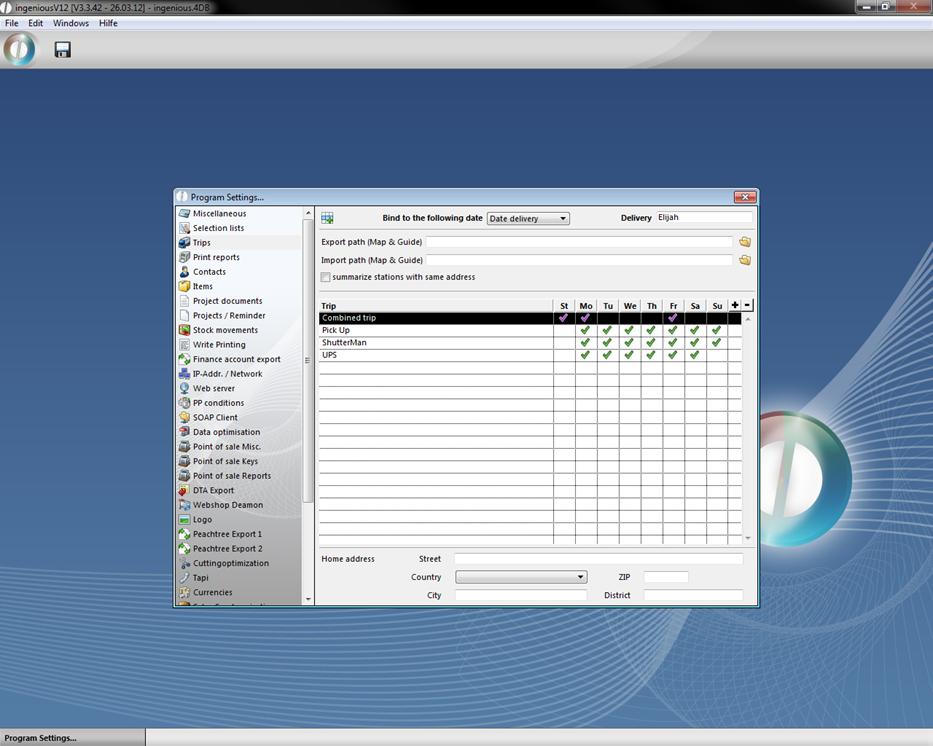
View of program settings with two created collective trips
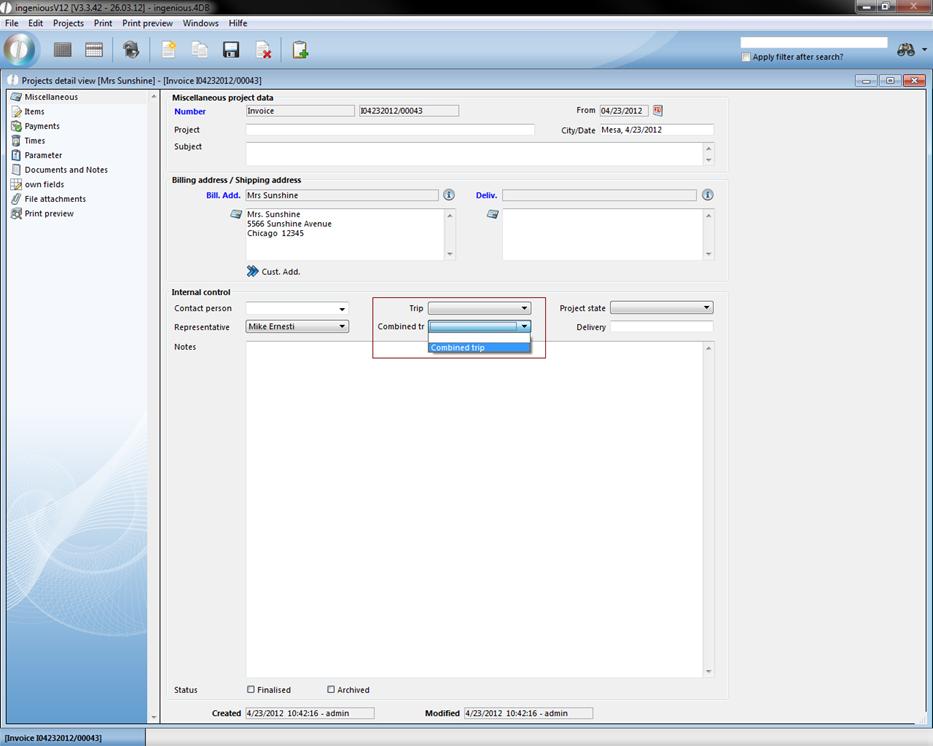
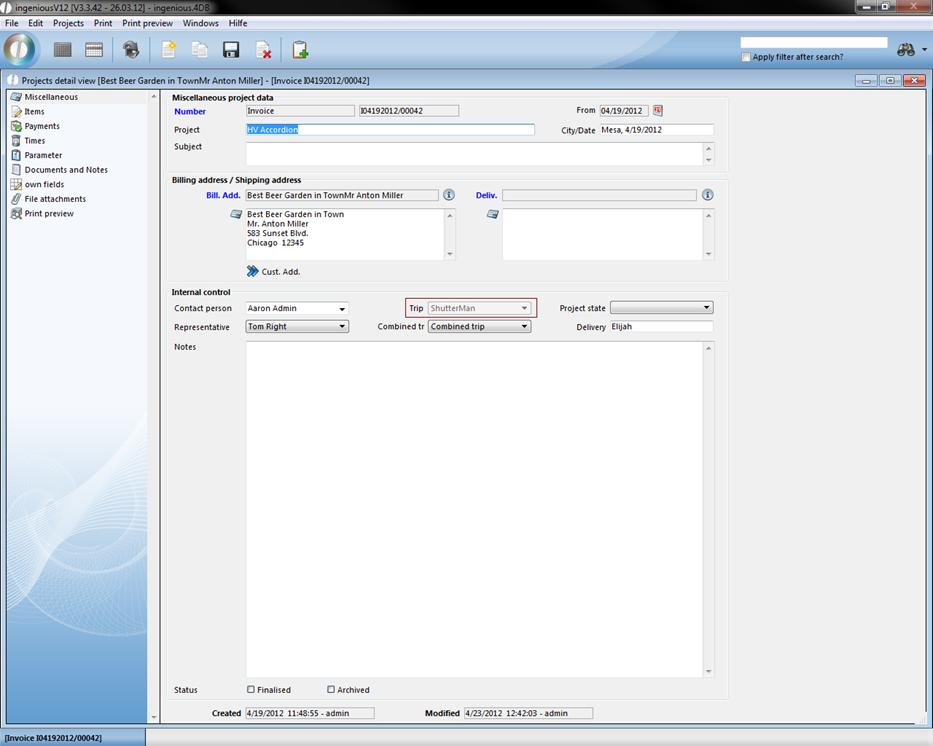
View of the project detail view column “Miscellaneous”
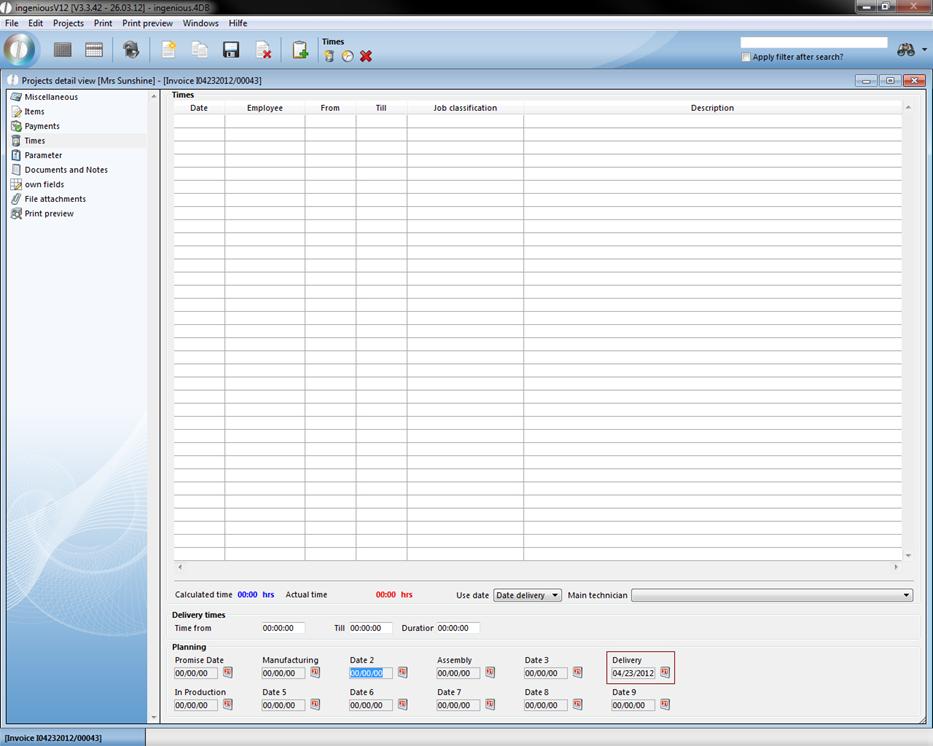
View of the project detail view column, “Times” (Set assembly date)
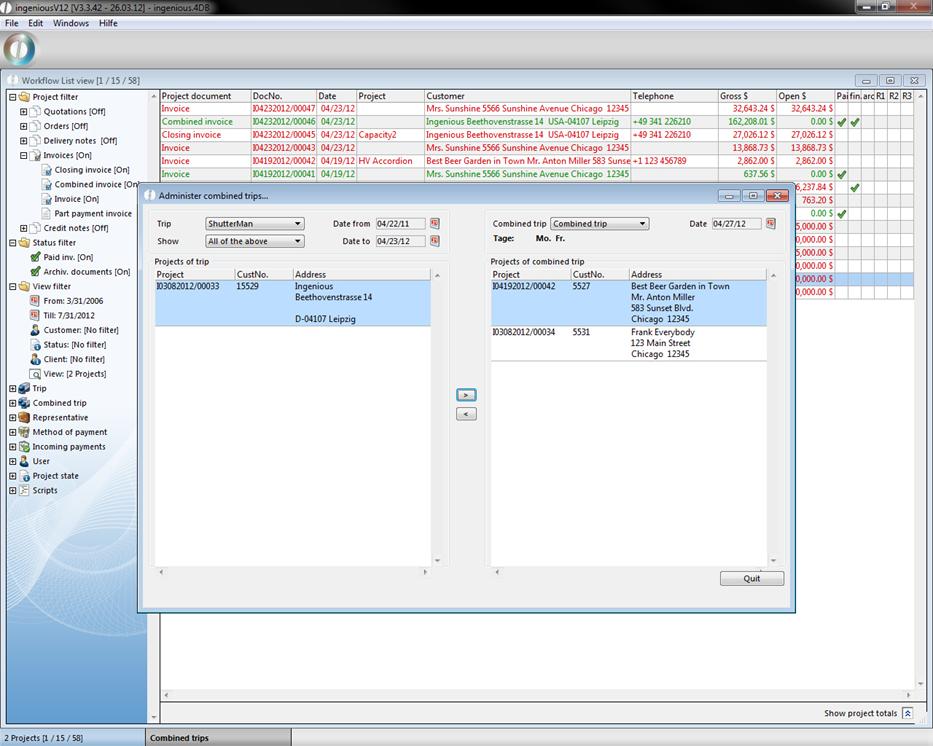
In the window “Administer collective trips …” you can select the respective trip in the left area in the “Trip” field, and you can select the desired projects in the “Announcements” field. With the  button, you can select the desired time period. In the right window area, you then select the corresponding collective trip. The date of the next collective trip as well as the suitable days, are automatically indicated. With the
  button, you now have the possibility to assign one of the displayed trips of the collective tour.
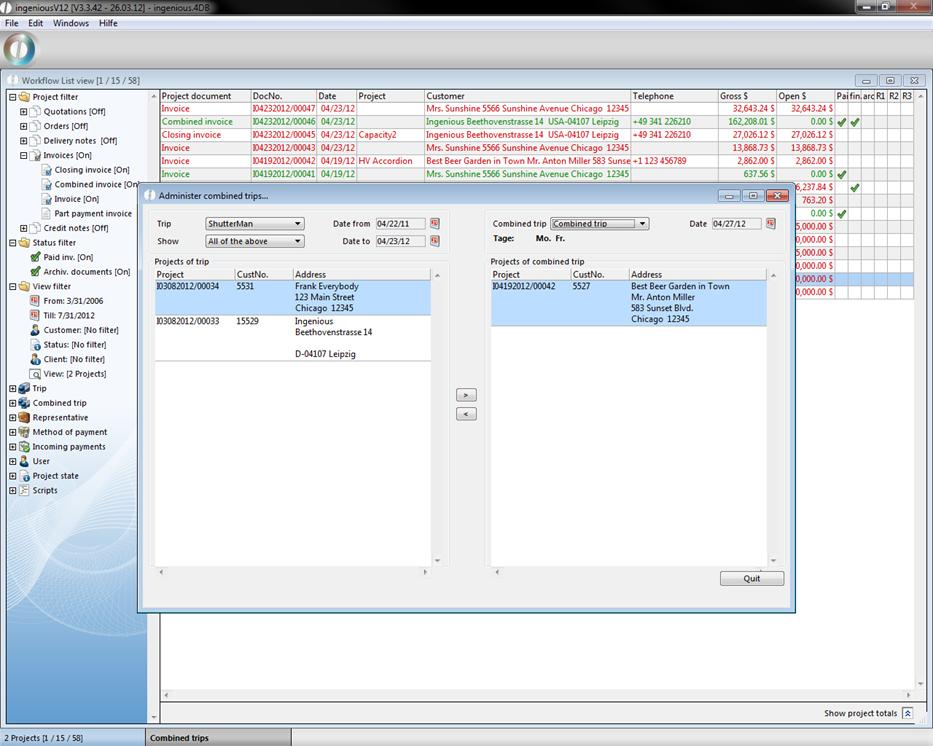
In the right window, all projects which were already accounted for in the project detail view as a collective trip are also automatically indicated. If you now assign a collective trip to a new project, the trip setting also changes in the project detail view. The “Trip” field is now closed and the selective collective trip is shown.
View of the export function